Atrise Lutcurve 4
Monitor Calibration Software for Photographers, Videographers and Designers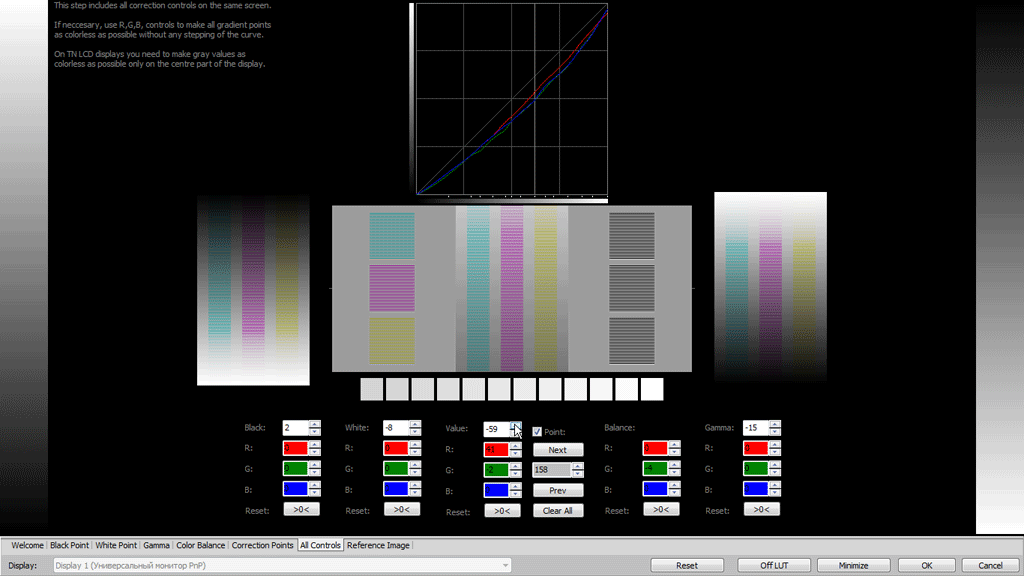
This program will help you to calibrate your monitor without a hardware calibrator device. High accuracy calibration is achieved by the high sensitivity of the human eye to neutral-color shades. The generated test patterns are based on an scientific article “Measurement of display transfer characteristic (gamma)” by A. Roberts and a new extended method for non-linear curves: sRGB, Rec.709 and BT.1886.
As compared to other programs in this class, Lutcurve has high accuracy and flexibility in configuring virtually any monitor. This allows you to get great results even in low-quality TFT LCD displays based on TN-matrix. Best results are on IPS, PVA or OLED. Multiple display configurations or notebook displays are supported.
Users Who Should Use Calibrated Displays

- Users working with videos and photos.
- Designers and artists who work with drawings.
- Professional photographers and videographers.
- Software developers and web designers.
- Just web surfers who love the image quality.
Disadvantages of Non-calibrated Displays

- Inaccurate reproduction of colors and shades.
- The loss of image detail in dark and light areas.
- Incorrect image brightness and gamma.
- Ugly and unkempt appearance of web pages.
- Eye strain when working at a computer.
The new version of the program has been significantly redesigned. Most of the code has been rewritten from scratch.
As a result, we got:
Improved Calibration Quality
Lutcurve 4 now supports new calibration standards for photographers, videographers, and colorists.
You can more accurately make color correction and color grading of your videos and photos, using the hardware settings of the monitor as much as possible.
The calibration curve is now more accurate by monitoring the area of shadows, lights and smoothness of gradients.
Test images have been improved. The experience of visual calibration using older versions of the program is taken into account.
Modern Calibration Standards
It is now possible to expand the visual calibration technique to use non-linear curves used in the new standards.
Now supported:
- Photo and Internet: Gamma 2.2 and sRGB.
- Video production: Gamma 2.4, BT.1886 and Rec.709.
- Support for OLED and high contrast displays.
Settings are now independent for multiple monitors. And accuracy is enhanced by improving calibration images and revised user instructions.
Here is a simple and quick calibration test for most monitors:
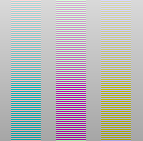
your monitor might need to be calibrated!
Note: this simple online test is correct only if you have display DPI settings 100% and no additional browser zoom.
It is safer to check the calibration in the program.
Calibration of any Display
Atrise Lutcurve lets you correct nonlinearity of displays, especially noticeable on LCD monitors. The count of calibration points is not limited, which means you can calibrate even an aging display.
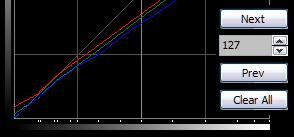
The quality of the calibration depends on your carefulness and may be very approximate to hardware calibration results and better.
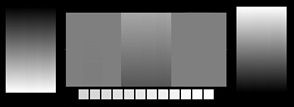
Multiple Display Support
A multi-display PC installation is also supported on all supported OS including Windows XP.
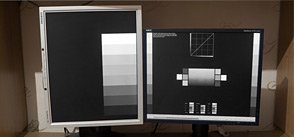
It is possible to match two display colors.
Multiple Calibration Controls
All values are adjusted by numerical values using the Up / Down button controls. The whole process takes about 15 minutes to complete.
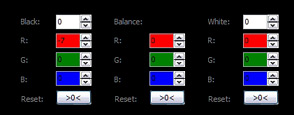
Easy Steps to Calibrate
The program walks you through adjustments in a step-by-step manner.

See Before and After
Once the display is calibrated, it takes a bit of time to get over the gee whiz factor that comes from seeing that the images on your display closely match reality.

System Requirements
- OS: Windows® XP, Vista, 7, 8, 8.1, 10 or 11. 32 or 64 bit.
- Manufacturer video card driver installed. Most default Windows drivers cannot change the LUT Table, so visit AMD, NVIDIA or Intel web site to get better one.
- Manufacturer ICM Profile is recommended.
- Minimal display resolution: 1024×768.
Technical Specifications for LUT
- Calibration points: up to 256 (full range).
- LUT precision: 16 bit (full range).
- Curve interpolation: smooth spline.
Calibration Specifications
- Gamma curves and non-linear calibration curves.
- Recommended gamma value: 2.2. Or use sRGB or BT.1886.
- White Point: around 6500K.
- Luminance Level: monitor settings, usually >80 cd/m².
- Dark Room environment is recommended.
- Color Space: monitor settings, usually sRGB.
Display Type Compatibility
- Any CRT or LCD display (TN, *VA or *IPS) is supported.
- Multiple monitor connected is supported.
- Windows XP requires separate video cards per monitors.
Ready to calibrate your display?
There is a free trial that works 30 days. Try it for free before your buy.
Download Atrise Lutcurve
The latest 4.x.x, free 30-day trial.
Installer executable, 1.0 MB
It is a native 32-bit Windows application. 32 or 64 bit Windows® XP, Vista, 7, 8, 8.1, 10, 11 are supported. Program works also in a portable mode.
To uninstall use standard Windows settings: Start → Settings → Apps & features. Click the Lutcurve icon and then click Uninstall.
Every Atrise software excutables are time-stamped and digitally signed by the developer's private root certificate to check that software is received directly from the software developer and it does not modified by third party persons or viruses. To get and install the author's public key CA root certificate please contact the software developer.
If you already have a license for versions 1.x.x, 2.x.x or 3.x.x, purchase an upgrade license.
Your old license key is not valid for the new version 4.x.x. Download an old version here: Atrise Lutcurve 3.1.0.
Lutcurve Updates and Improvements
If you have found a bug or an issue, feel free to report it to the author to fix. We can help many users worldwide.